Password Policy
A password policy enforces the security of passwords.
The system validates your customers’ password entries based on the criteria you configure.
Your customers are shown the requirements when they click in the password input field (Fig.: Requirements for passwords, item 1).
A password strength indicator and a password generator help your customers fulfill the requirements.
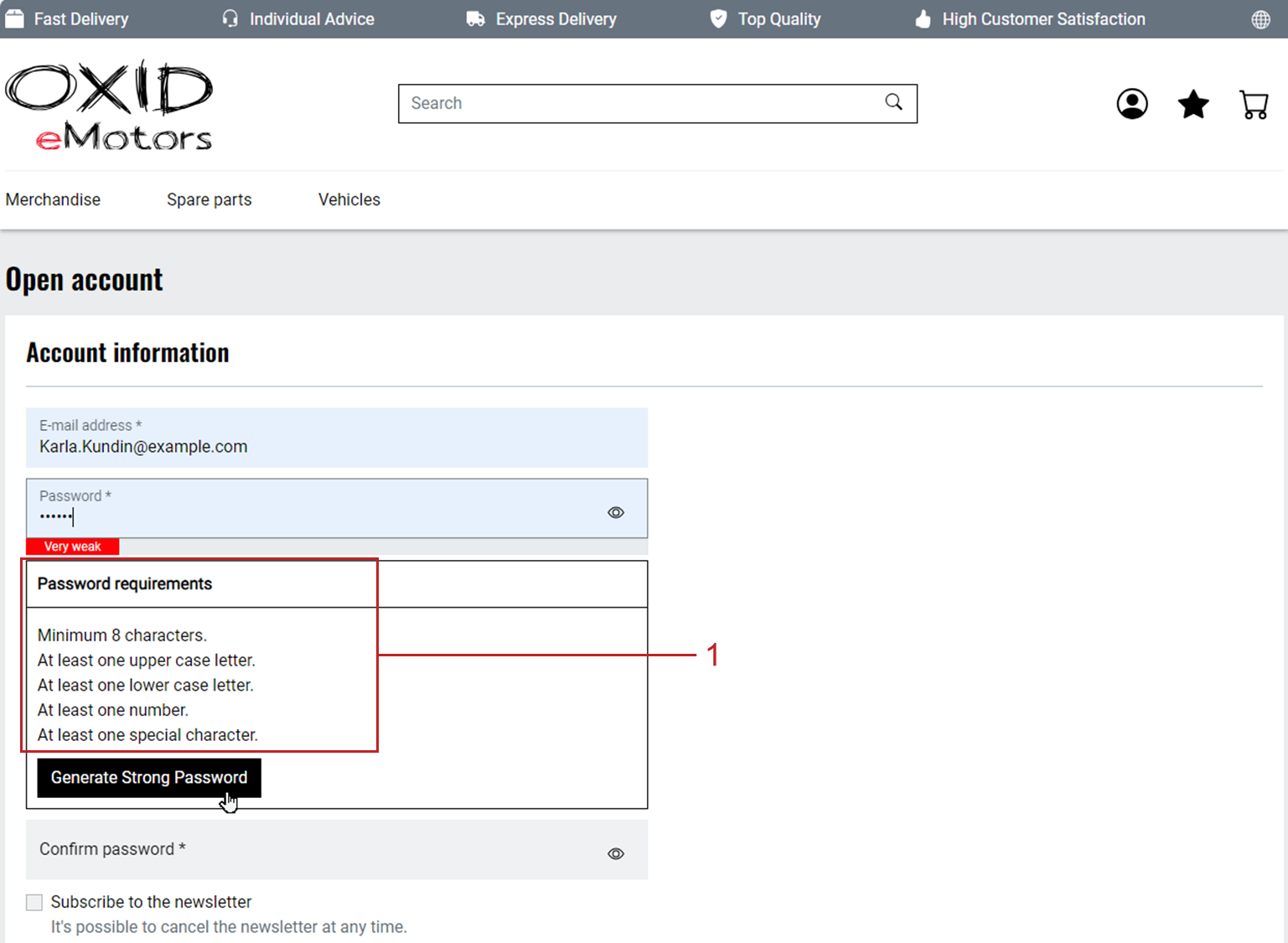
Fig.: Requirements for passwords
If required, configure the minimum length of the password and the standard requirements for the composition of the password that your customers must enter when registering.
Configuring Password Policy
Specify the minimum password length and any additional requirements.
Procedure
Under , choose the module.
Choose the Settings tab.
Under Password Policy you have the following options (Fig.: Default settings for passwords):
Increase the default value of 8 characters as the minimum length for the password.
If the value is less than the store default setting, the store setting takes precedence.
If required, deactivate the additional requirements for the composition of the password that are activated by default:
The password must contain at least one capital letter.
The password must contain at least one lowercase letter.
The password must contain at least one number.
The password must contain at least one special character.
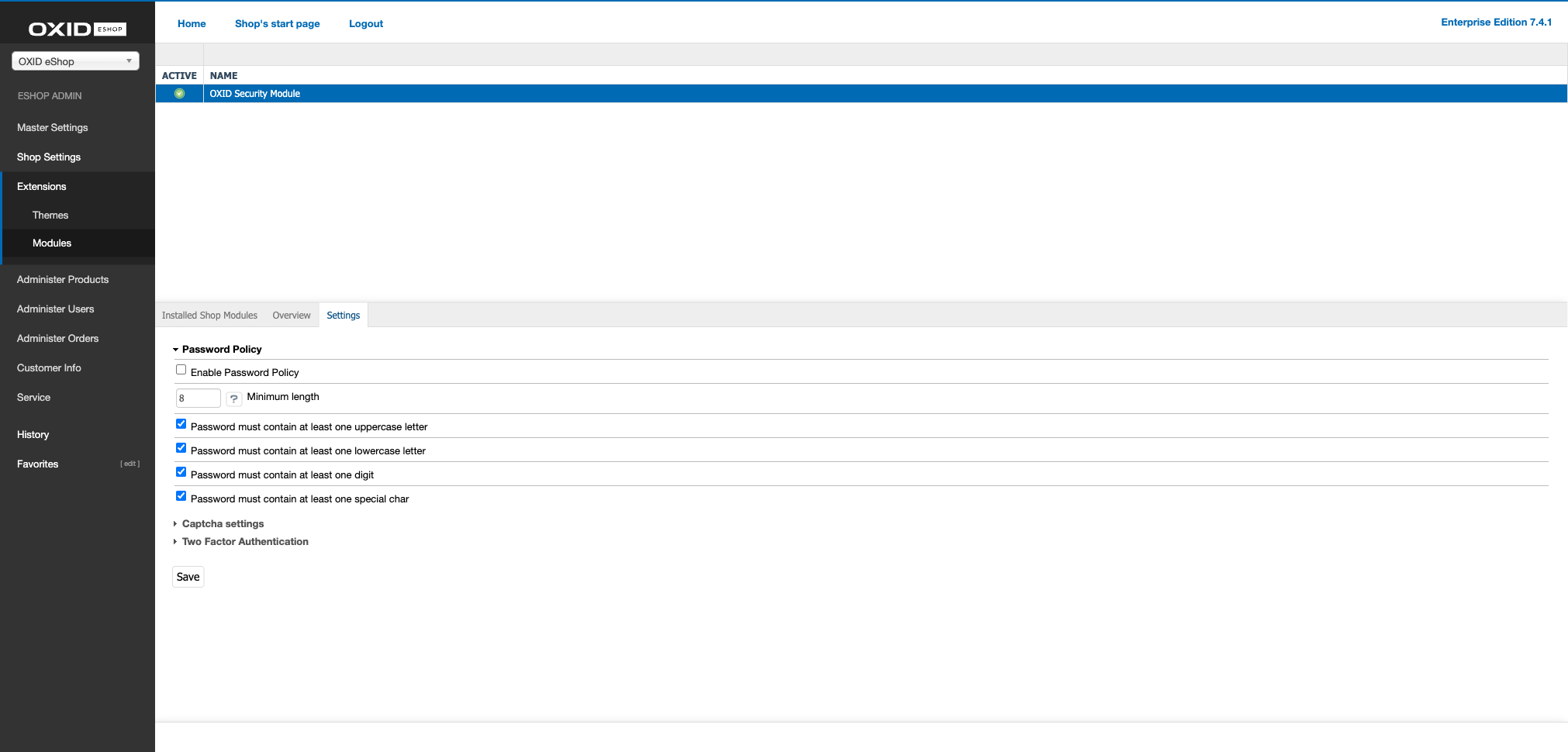
Fig.: Default settings for passwords
Result
When a customer registers, the security requirements are displayed (Fig.: Requirements for passwords, item 1).